
A Wi-Fi digital picture frame can be a genuinely useful family gift when it is easy to set up, simple to update remotely and comfortable to view every day. The best frame is not necessarily the one with the longest feature list. It is the one the recipient can enjoy without repeated technical support.
This guide covers display quality, sharing methods, privacy, subscriptions and gifting workflow, with the Nixplay 10.1-inch model as a featured example. Product details are based on the retailer listing rather than independent hands-on testing.
Quick buying checklist
- Prioritize a simple sharing app over unnecessary extras.
- Check whether family members can contribute without sharing one password.
- Confirm subscription, cloud storage and offline behavior.
- Preload photos and test the frame before gifting it.
Screen size, resolution and viewing distance
A 10-inch class display works well on a side table, desk or kitchen counter. Larger frames are easier to see across a room but need more space and may draw more power. Resolution should be judged together with size: a modest resolution can still look sharp on a smaller screen viewed from several feet away.
Brightness control, color balance and viewing angle often matter more in daily use than a specification sheet suggests. A frame placed near a window needs enough brightness, while a bedroom frame needs a dim nighttime setting.
Remote sharing: app, email and permissions
The most important feature for long-distance families is a dependable way to send new photos. Some frames use an app, some accept email, and some support both. Look for individual invitations or contributor permissions so relatives can add content without gaining control of the whole account.
Ask who will administer the frame, how contributors are approved and whether a photo can be removed remotely. A clear workflow prevents duplicate albums and unwanted uploads.
Storage, cloud service and subscriptions
Check whether photos remain available when Wi-Fi is interrupted and how much local storage is included. Cloud-based organization can be convenient, but premium functions may require a subscription now or in the future.
Before buying, review which features are included at no recurring cost. The value of a gift changes if the recipient later needs a paid plan for the sharing or storage behavior you expected.
Privacy and account ownership
Family photos are personal data. Use a strong unique password, enable available account-security features and avoid reusing a shared family password. Decide whether the giver or recipient should own the primary account.
For an older recipient, the giver may handle administration while the recipient only interacts with the frame. Document the login recovery method and make sure the email address will remain accessible.
How to prepare a frame before gifting
Connect the frame to a temporary network, install updates, choose portrait or landscape orientation, load a starter album and set a comfortable slideshow speed. Then package a short printed instruction explaining how to turn it on and where it will connect to Wi-Fi.
If the recipient lives far away, confirm whether the frame can be transferred to a different network without resetting the account or deleting the preloaded content.
How the Nixplay model fits
The featured Nixplay frame is listed with a 10.1-inch HD touchscreen, Wi-Fi sharing through the Nixplay ecosystem, auto-rotation and remote photo or short-video delivery. That combination is aimed directly at family sharing and gifting.
Before purchase, verify the current model number, included accessories, storage, subscription terms and supported sharing options. Product lines and app plans can change over time.
Match the product type to your use case
| Use case | What to prioritize | Important note |
|---|---|---|
| Grandparent gift | Simple setup and remote uploads | Preconfigure before delivery |
| Family household | Multiple contributors | Check user permissions |
| Desk or bedside use | Around 10-inch display | Confirm brightness and sleep settings |
| No recurring fees preferred | Included local/cloud features | Read subscription terms carefully |
Featured product: Nixplay 10.1-Inch Wi-Fi Digital Picture Frame
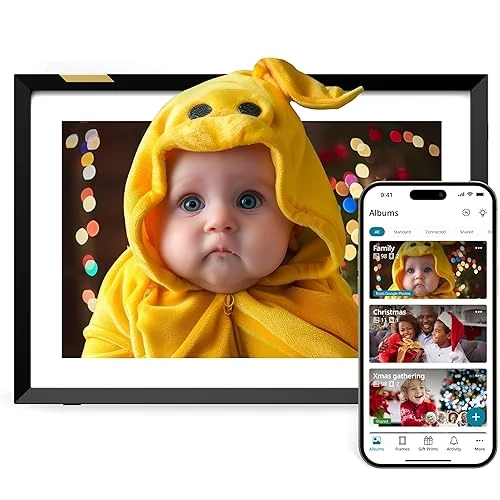
Nixplay 10.1-Inch Wi-Fi Digital Picture Frame
A 10.1-inch HD touchscreen digital frame designed for gifting and ongoing photo sharing through the Nixplay app or email.
Practical strengths and limitations
Why it may fit
- Remote sharing can keep the display fresh
- A 10.1-inch frame fits common household spaces
- Preloading makes it a personalized gift
Reasons to compare alternatives
- Wi-Fi and account setup are still required
- Some cloud features may depend on subscription terms
- Photo privacy depends on secure account management
Frequently asked questions
Can family members send photos from different cities?
Many Wi-Fi frames support invited contributors through an app or email. Confirm the exact method and limits for the current model.
Will the frame work without Wi-Fi?
Previously downloaded photos may continue to display, but new uploads and some management features normally require a connection.
Should I buy a touchscreen frame?
A touchscreen makes local browsing and setup easier, but remote management and a simple interface are often more important for a gift recipient.